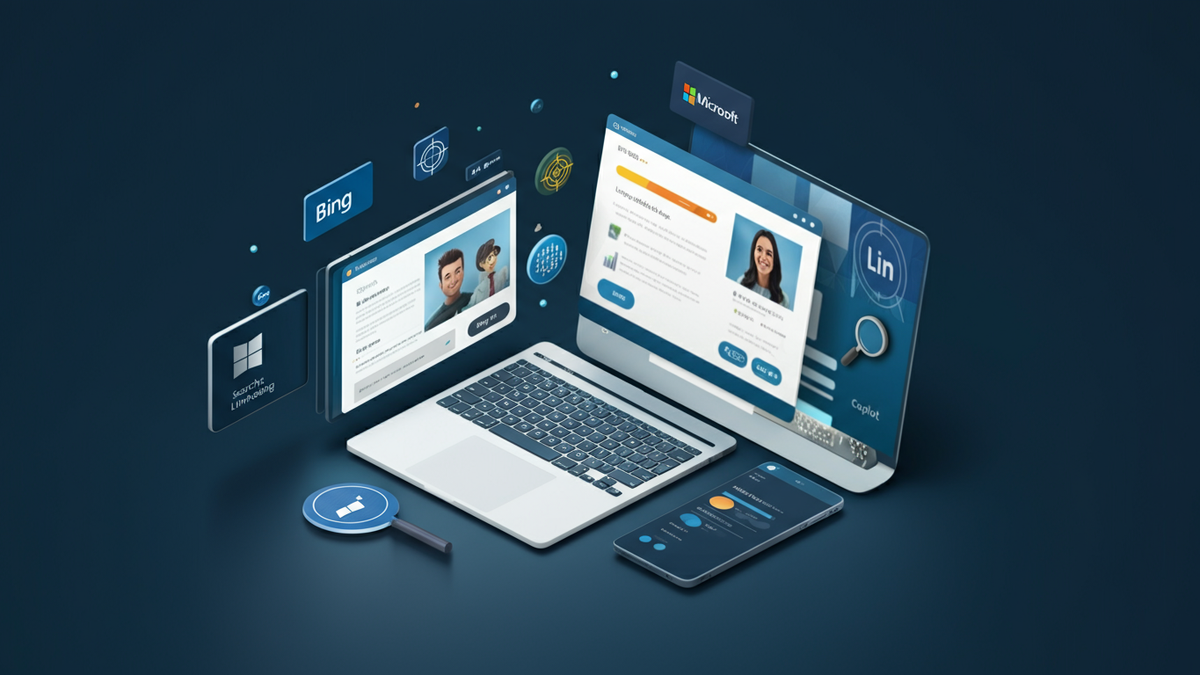
Microsoft Ads in 2026: The Complete Guide to Advertising Beyond Google
Published on 3/12/2026
Introduction
When most marketers think about paid search, Google Ads is the first — and often only — platform that comes to mind. But in 2026, that tunnel vision could be costing you real money. Microsoft Advertising (formerly Bing Ads) has quietly evolved into a powerful, multi-surface ad platform that reaches over 14 billion desktop searches per month across Bing, Yahoo, AOL, MSN, Outlook, Edge, Xbox, and even the Windows 11 Start menu.
The kicker? Average cost-per-click (CPC) on Microsoft Ads sits around $1.54 — roughly 43% less than Google's $2.69. For advertisers willing to look beyond the obvious, that's a significant competitive edge.
Why Microsoft Ads Deserves a Place in Your Strategy
Here's what makes the Microsoft Advertising network stand out:
- Lower CPCs: On average 40–43% cheaper than Google Ads across most industries.
- Affluent, older audience: Over 70% of Bing users are 35+, and 38% report household incomes above $100k — a sweet spot for high-ticket and B2B offers.
- Less competition: Fewer advertisers means your budget stretches further and your ads appear more prominently.
- Multi-surface reach: One platform covers Bing, Yahoo, MSN, Outlook, Edge, Xbox, and Windows 11 Start menu ads.
- LinkedIn targeting: Microsoft's ownership of LinkedIn means you can layer in job title, company, and industry targeting — a unique advantage for B2B marketers.
- Copilot AI integration: Microsoft's AI assistant now surfaces ads inside chat interactions, opening up a new and growing inventory.
Microsoft Ads now represents nearly a quarter of all desktop searches in the UK, and its share continues to grow as Edge adoption rises (Edge now holds 30% Windows browser share in the US).
Getting Started: Account Setup
Setting up your Microsoft Ads account is straightforward:
- Visit ads.microsoft.com and click Sign Up.
- Enter your business, billing, and contact details.
- Choose between Smart Mode (simplified, good for beginners) or Expert Mode (full control over bidding, targeting, and reporting). Note: you cannot switch back from Expert Mode, so choose wisely.
- Install the Universal Event Tracking (UET) tag on all pages of your website — this is essential for conversion tracking, remarketing, and automated bidding. You can deploy it via Google Tag Manager.
- Define your conversion goals: purchases, form fills, scroll depth, phone calls, etc.
Pro tip: If you're already running Google Ads, use the Import tool (Import → Google Ads) to bring your campaigns across in minutes. Just remember to reduce initial CPCs by 20–30% to reflect lower competition on the Microsoft network, and run a Search Terms report within the first few days to add negative keywords.
Ad Formats: What's Available
Microsoft Ads offers a wide range of formats to suit different goals:
Search Ads
- Responsive Search Ads (RSA): Provide up to 15 headlines and 4 descriptions; Microsoft's AI picks the best-performing combinations.
- Dynamic Search Ads (DSA): Automatically match queries to your website content — great for large sites with many pages.
Shopping & Feed-Based
- Product Ads: Image, price, and seller rating shown directly in search results, powered by Bing Merchant Center.
- Vertical Ads: Keyword-less units tailored for specific industries like automotive, real estate, and travel.
Native & Display
- Microsoft Audience Ads: Image or feed-based creative appearing on MSN, Outlook, and Edge — ideal for brand awareness.
- Multimedia Ads: Large hero image units that occupy prominent positions in search results.
Video & Emerging Formats
- Video Ads: 6–90 second clips (MP4 preferred); vertical 9:16 format now supported.
- Ads in Windows: Branded cards surfacing in the Windows 11 Start menu to over 1 billion Windows users.
- Xbox Ads: Reach gaming audiences through the Xbox Store.
- Showroom Ads in Copilot: Interactive product galleries triggered inside Microsoft's AI chat — a genuinely new and exciting format.
Targeting: Reach the Right People
Microsoft Ads offers robust targeting options:
- Keywords: Standard match types (broad, phrase, exact) with negative keyword support.
- Demographics: Age, gender, household income.
- Device: Desktop, tablet, mobile — with bid modifiers for each.
- Location: Country, region, city, or radius targeting.
- LinkedIn Profile Targeting: Target by job function, industry, company name, or seniority — unique to Microsoft Ads.
- Remarketing: Re-engage past website visitors using UET-powered audience lists.
- In-market Audiences: Reach users actively researching products or services in your category.
For B2B advertisers, the LinkedIn targeting layer alone can justify adding Microsoft Ads to your mix.
Bidding and Budget Strategy
Microsoft Ads supports both manual and automated bidding:
- Manual CPC: Full control over individual keyword bids.
- Enhanced CPC: Adjusts your manual bids based on conversion likelihood.
- Target CPA: Automated bidding to hit a specific cost-per-acquisition.
- Target ROAS: Automated bidding to maximise return on ad spend.
- Maximize Conversions / Maximize Clicks: Fully automated options for campaigns with clear goals.
Start with manual or enhanced CPC while you gather conversion data, then graduate to Target CPA or ROAS once you have at least 30–50 conversions per month.
Optimisation: Keeping Campaigns Profitable
Consistency is the key to long-term performance. Here's a simple routine:
- Weekly: Pull a Search Terms report, add negatives, and flag new high-intent keywords. Check keyword CPAs and pause anything spending more than 2× your target.
- Bi-weekly: Review audience and demographic performance. Apply bid modifiers (+20% on high converters, –10% on underperformers).
- Monthly: Refresh RSA headlines and descriptions to avoid ad fatigue. Audit landing pages using Microsoft Clarity to spot friction points. Review Quality Scores — every point gained saves roughly 10–15% on click costs.
Common Mistakes to Avoid
- Staying in Smart Mode too long — Switch to Expert Mode once you're comfortable. Smart Mode hides the controls that make the platform powerful.
- One giant ad group — Keep ad groups tightly focused on 5–20 related keywords for better relevance and Quality Scores.
- Importing from Google and forgetting negatives — The import wizard doesn't add negative keywords. Run a Search Terms report on day 3.
- Skipping the UET tag — No UET means no conversion data, no remarketing, and no automated bidding. Install it before you spend a cent.
- Ignoring new placements — Windows Start menu and Xbox ads are still low-competition. Early adopters are seeing very cheap clicks.
- Letting ad copy go stale — Refresh RSA assets every 4–6 weeks. Use Microsoft's built-in Ads Studio to generate new variations.
Final Thoughts
Microsoft Advertising has grown well beyond its Bing Ads roots. In 2026, it offers search, shopping, native, video, Xbox, and Windows placements — all from a single interface, at a fraction of Google's cost. The LinkedIn targeting integration makes it especially compelling for B2B marketers, and the emerging Copilot ad formats put Microsoft at the frontier of AI-powered advertising.
If you're only running Google Ads, you're leaving a meaningful slice of high-intent, lower-cost traffic on the table. Microsoft Ads won't replace Google — but as a complement, it can significantly improve your overall paid media ROI.